IPTV is the best choice to stream tons of live TV channels and on-demand videos at an affordable price. Instead of spending more money on cable TV service, get an IPTV subscription to stream thousands of live TV channels, movies, TV shows, sports, and more in HD quality. Sharp Smart TV is a reliable TV brand that runs on different operating systems – Android TV OS and Roku OS. You can install IPTV apps from the Play Store on Sharp Android TV. Apart from this, you can also sideload the IPTV apps on Sharp TV using a USB drive.
How to Download IPTV on Sharp Smart TV
We have used IPTV Smarters Player to explain the installation process. There are tons of IPTV Players available on the Play Store. You can choose any IPTV Player of your choice.
(1) Turn On your Sharp Smart TV and connect it to a strong internet connection.
(2) Locate and tap the Apps icon on the home screen of the Sharp Smart TV.
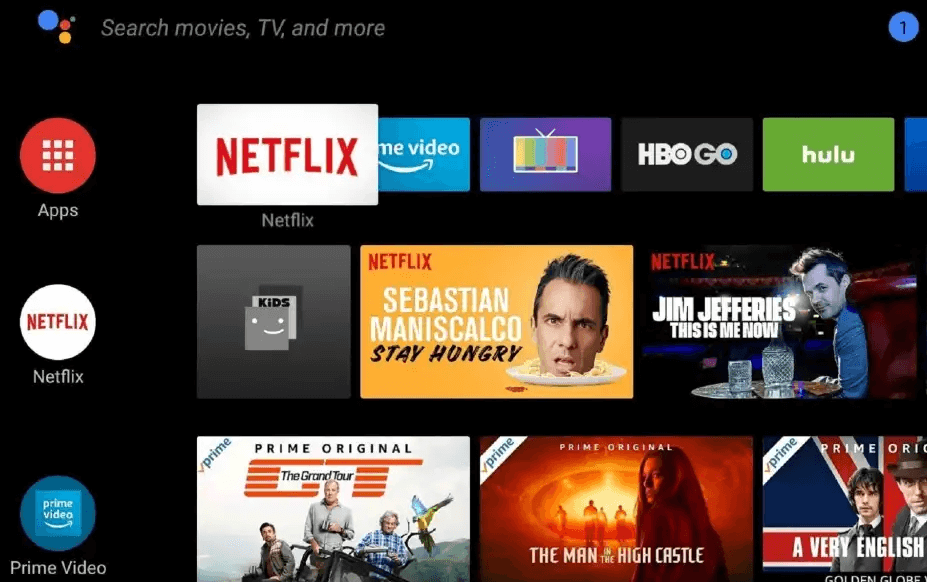
(3) Select the Google Play Store app.
(4) Click the Search icon displayed at the top-right.
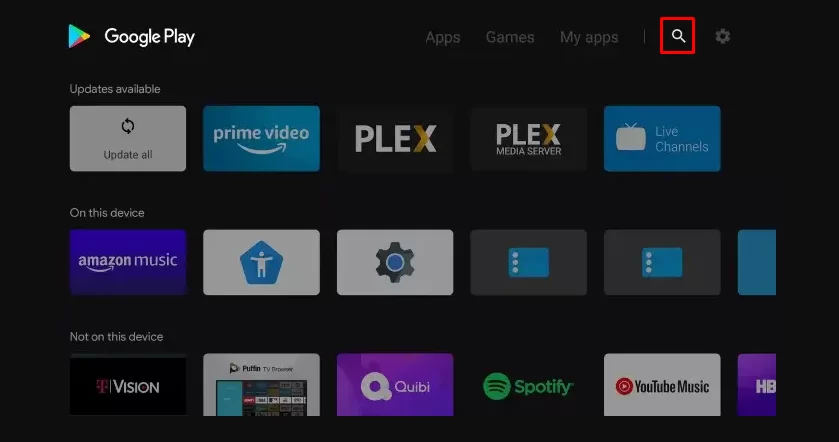
(5) Type IPTV Smarters on the search bar and search for the app.
(6) Select the IPTV Smarters app from the search results and hit the Install button to download the app on your Sharp Smart TV.
Note: Currently, IPTV Smarters is not available on the Play Store. It can be added to the Play Store anytime. Until then, use the below sideloading steps to get the IPTV Smarters player on Sharp TV.
How to Sideload IPTV on Sharp Smart TV via USB Drive
(1) Open a web browser on your computer and enter the URL below to download the APK file of IPTV Smarters.
IPTV Smarters: https://www.iptvsmarters.com/smarters.apk
(2) Once the file is downloaded, connect a USB drive to your PC.
(3) Transfer the APK file to the USB drive.
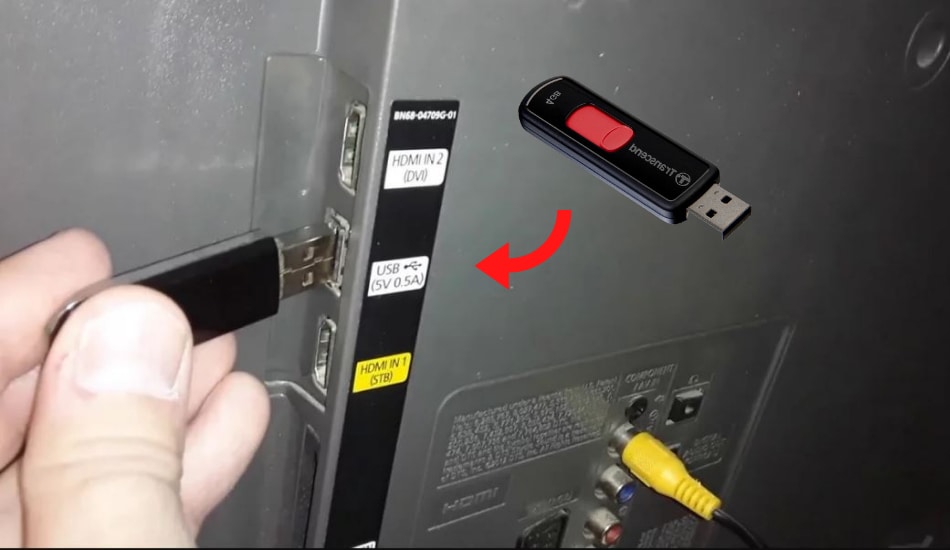
(4) After successful transfer, remove the USB drive from your PC and connect it to the HDMI port of your Sharp Smart TV.
(5) Go to Settings on your Sharp TV and select Device Preferences.
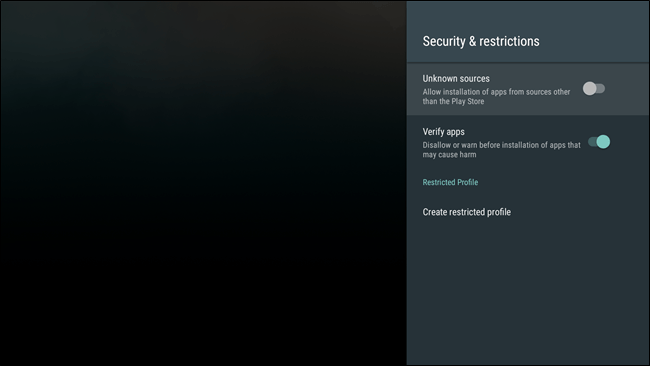
(6) Choose Security and Restrictions and turn ON Unknown sources.
(7) Install any File Manager app from the Play Store on your Sharp Smart TV.
(8) Open the File Manager app and go to the USB drive section.
(9) Tap the IPTV Smarters APK file and follow the on-screen prompts to install the app on your TV.
How to Setup IPTV Smarters on Sharp Smart TV
(1) Open the IPTV Smarters application on your TV.
(2) On the home page, click the option Add New User.
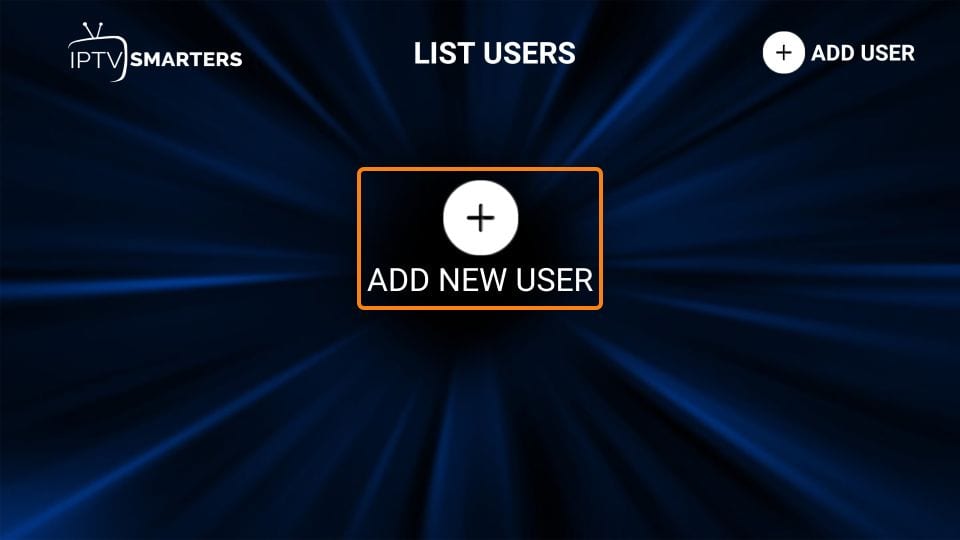
(4) On the next page, select any option Load Your Playlist or File/URL or Login with Xtream Codes API.
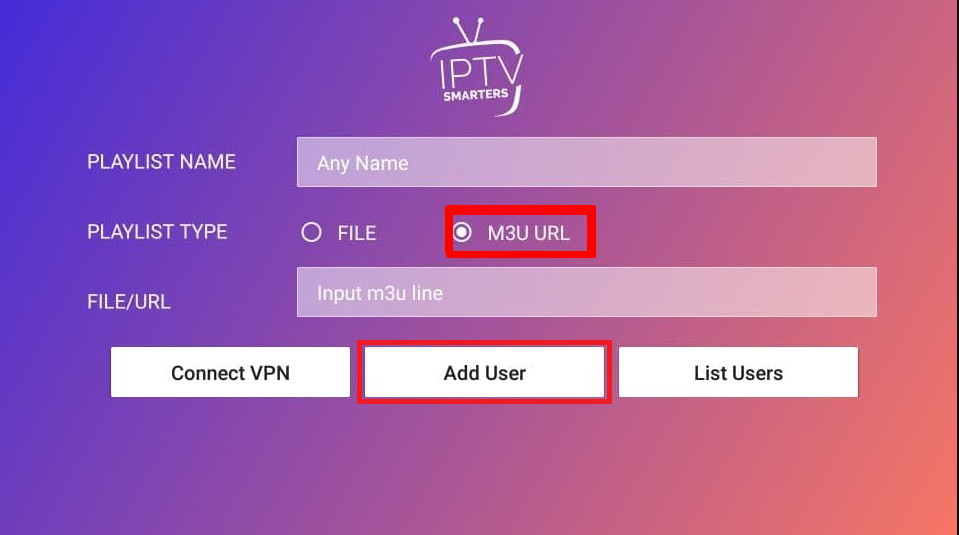
If you have clicked the option, Load Your Playlist or File/URL:
- Enter the Playlist name.
- Choose your Playlist type.
- Enter the M3U URL link given by your IPTV Provider.
- Tap Add User.
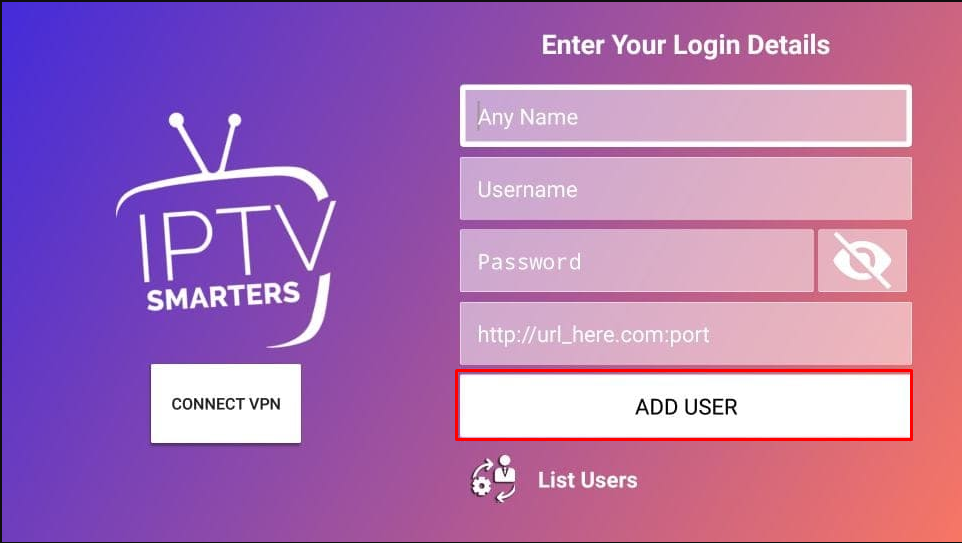
If you have selected the option Login with Xtream Codes API:
- Enter your Playlist name.
- Type the Username, Password, and Server Port URL offered by your IPTV Provider.
- Click the option Add User.
(5) Now, wait for the content to load on the IPTV Smarters app.
(6) Play your desired content and watch it on your Sharp Smart TV.
Frequently Asked Questions
Yes. You can install IPTV on Sharp Aquos TV using the sideloading method.
It is impossible to determine whether an IPTV is legal or safe. Whatever IPTV you use, make sure to use it with a VPN.
As Roku Channel Store has no IPTV apps, you can’t download the app on Sharp Roku TV.
Disclosure: If we like a product or service, we might refer them to our readers via an affiliate link, which means we may receive a referral commission from the sale if you buy the product that we recommended, read more about that in our affiliate disclosure.